Plan the route
Connect release scope, environments, owners, and the work that drove the change.
For Salesforce delivery
POCAVI gives delivery teams one workflow to plan, inspect, validate, approve, deploy, recover, and learn from Salesforce change.
The operating rhythm
Start with the responsibility your team already owns. POCAVI gives it a more connected route from signal to action.
Connect release scope, environments, owners, and the work that drove the change.
Inspect metadata, dependencies, tests, and risk before production is the first honest test.
Keep approvals, execution history, and the result attached to the release decision.
Use history and delivery signals to reduce repeat failure and make the next release safer.
POCAVI DevOps
Explore the product depth behind this workflow, then expand when shared Salesforce context makes the next decision better.
Explore DevOpsDelivery leads and release managers
Change sets carry no record of who approved what, validation happens after deployment rather than before it, and recovery is assembled under pressure instead of prepared in advance.
What changes
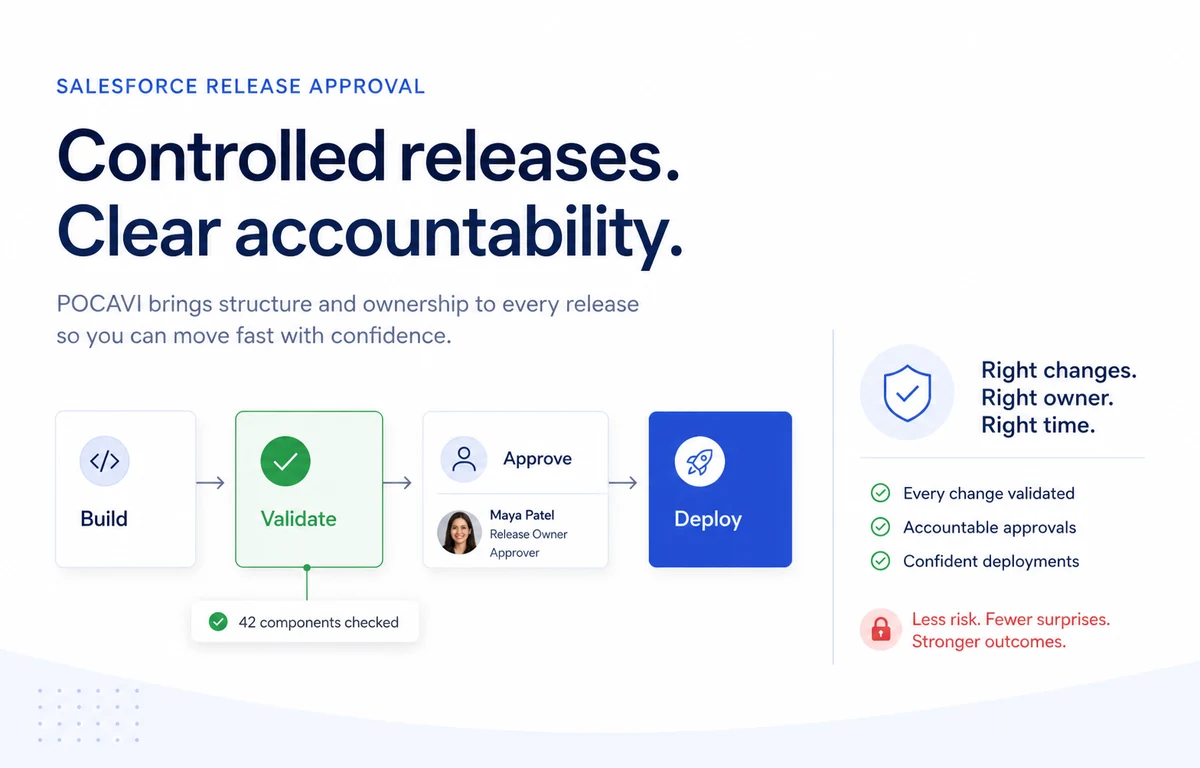
Plan the release, validate the metadata against the target org, collect a named approval, deploy, and keep the record. Four steps that already happen, made attributable.
What changes
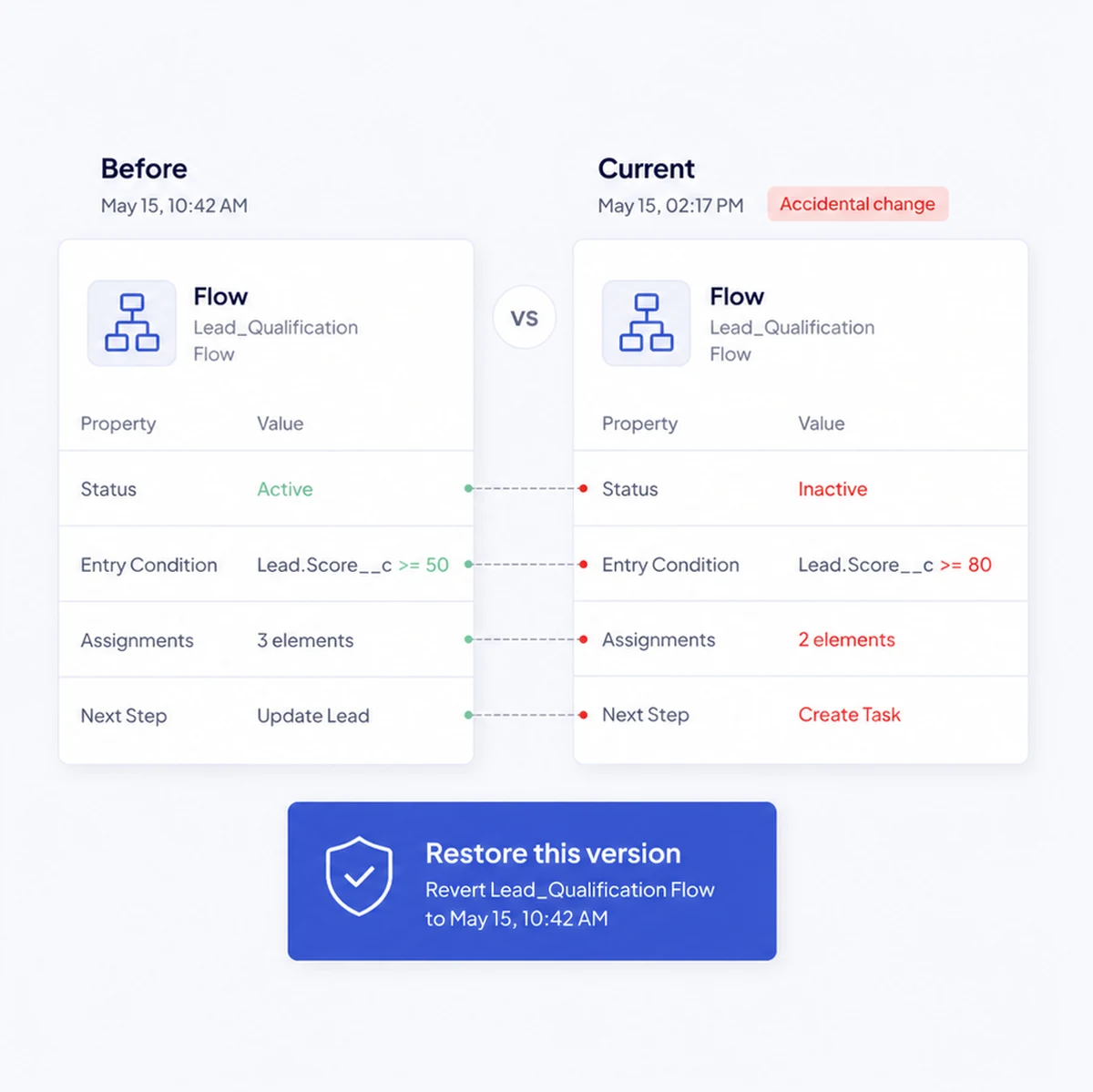
The rollback target is ready before the deployment starts, so recovery is a decision rather than a reconstruction. The diff shows exactly what would be reverted.
Capabilities
DevOps is about making safer delivery the quickest path, not another process around Salesforce.
Release Manager Plans releases, assigns work, manages approvals, deploys, rolls back, and keeps the release history together.
Release Scheduling and Conflicts Plans release scope, milestones, linked tickets, approvers, conflicts, hotfix frequency, and release health.
User Stories and Delivery Governance Links work to releases and manages deployment windows, freeze periods, approval rules, and release permission.
Delivery Integrations Connects Jira, Linear, Trello, Confluence, Google Docs, and source control into the release workflow.
Change Analyser Maps dependencies, runs Apex tests, checks coverage, and surfaces risk before a deployment reaches production.
Test Centre Supports AI-assisted test scenario creation, visual test building, execution in sandboxes, and pipeline quality gates.
Diff Viewer and Org Comparison Compares metadata and visual Flow structure between orgs, surfacing differences and drift score.
Code Analysis Checks metadata and code against security, best-practice, Flow, performance, and custom rules.
Test Centre and Quality Gates Authors AI-assisted test scripts, groups them into suites, runs them in sandboxes, and enforces release gates.
DORA Metrics and Drift Monitoring Tracks delivery performance and detects meaningful drift between Salesforce environments.
Environment Topology and Refresh Shows environment relationships and manages sandbox refresh validation, exclusions, and history.
Live Change Monitoring Surfaces Salesforce setup changes in a near-real-time operational feed.
Questions
No. Pocavi links a deployment to the commit that produced it, in GitHub, GitLab or Bitbucket. The repository stays where it is.
Yes. Pipelines can be triggered through the API or a webhook and report results back into your existing system.
Change analysis detects the overlap before deployment and flags it as a conflict rather than letting the second release quietly overwrite the first.
Read next
The product behind this
Plan, validate, deploy, and prove what happened.